Registration Assistant
The Registration Assistant returns a suggested list of courses for the student's upcoming term based on the following criteria:
- Prerequisites met by the student
- Courses required to graduate based on the data configured in the student's Program Version
- Maximum number of credits configured for the student
- Number of available seats
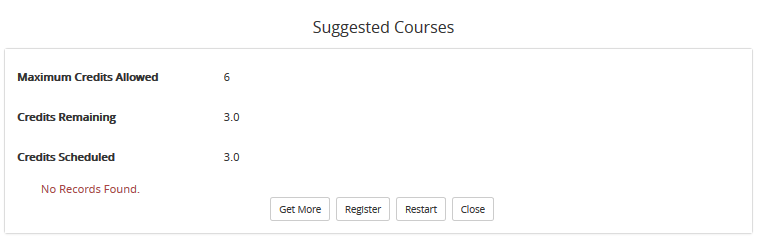
In the Suggested Courses window of the Registration Assistant, you can:
-
Click the check boxes in the Select column for the courses you want to take and click Register. You will be registered into the selected courses.
Note: Corequisite courses will be automatically selected together and you will be registered in all corequisite courses.
-
Click Get More to refresh the list of suggested courses after a selection has been made.
-
Click Restart to restart the Registration Assistant. Any previous selections will be removed.
-
Click Close to return to the Online Registration page.
Help Build: 4/3/2018 | Portal 19.0 | © 2018 Campus Management Corp. All rights reserved. | www.campusmanagement.com
